Divorce Records are accessed through the Bernalillo County District Court’s online portal, where users can request certified copies of decrees, custody orders, or property division filings. The system matches spouse names, case numbers, and filing dates to pull the exact divorce case documents you need. Fees and processing times are listed on the official site, and a simple request can be completed by mail or in person.
Divorce Records search results may show sealed or protected information, such as minor‑related custody details or financial data. If a filing is recent, system delays can cause temporary unavailability, but the clerk’s directory offers guidance on how to verify missing entries. Understanding the difference between public court records and confidential documents helps avoid unnecessary requests and speeds up obtaining the certified divorce record copy you require.
How to Search Divorce Records
Divorce Records for Bernalillo County are handled by the Bernalillo County District Court in the Second Judicial District of the New Mexico Judiciary. The records process can match a case by spouse name, case number, or filing date, then lead to divorce petitions, court orders, custody terms, and the decree ending the marriage. Cross-referencing verified marriage records helps ensure that public filings and status updates remain accurate. A case-listing result shows that the court has indexed a matching case; it does not replace the filed papers or a certified court copy. This section covers the search steps, public and protected records, certified-copy requests, and missing-result checks.
Official Search Portal: https://seconddistrict.nmcourts.gov/location-hours-contacts/
The New Mexico Courts location page is the official starting point for the Bernalillo County District Court. Use any case-lookup or records-request link presented there, rather than a private lookup page. The court clerk can also confirm the correct search route and request method.
Steps to Search
- Open the official court website and locate the Second Judicial District case search.
- Select district court and choose “Dissolution of Marriage” if available.
- Search each spouse’s legal name, adding first or middle names if needed.
- Enter the case number to narrow results.
- Use the filing date to refine the search.
- Verify spouse names, court, case number, and status.
- Review available petitions, decrees, and later orders.
- Request copies through the official service or court clerk.Save the reference number and verify the details on any certified copies.
Case Filings, Decrees & Custody Terms
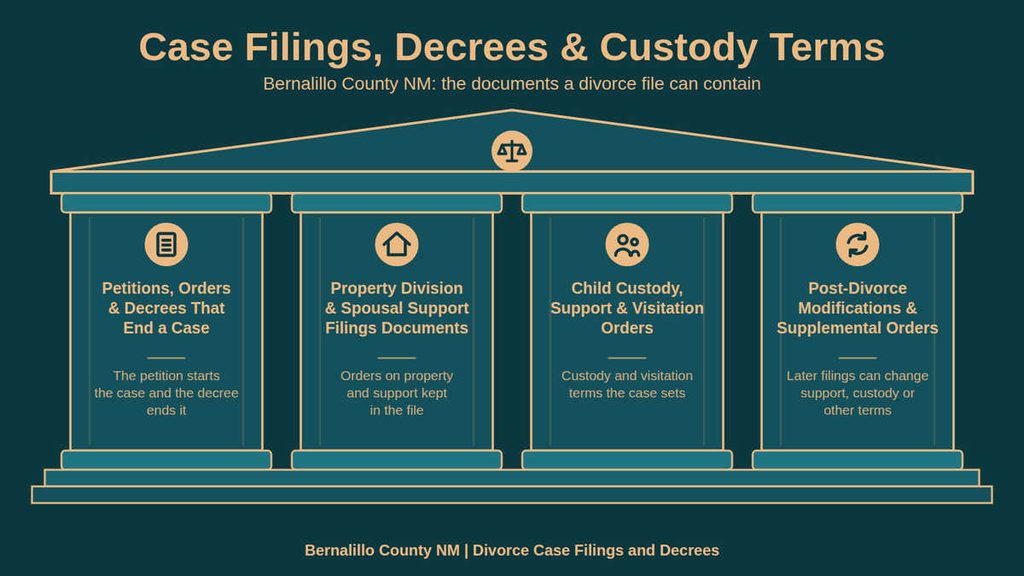
A divorce file can contain several kinds of documents because the case may move through different stages. The petition starts the legal process, interim orders can address temporary matters, and the ending decree records the divorce and approved terms. Later filings may change support, custody, or other terms. The exact document names vary by case, so read the titles and dates rather than assuming every file contains the same records.
Petitions, Orders & Decrees That End a Case
The divorce petition is the opening filing that asks the court to end the marriage and address related issues such as property, support, or parenting arrangements. After the case is opened, the court may issue orders that decide a specific request before the case reaches its closing stage. The divorce decree then states the court’s decision on the marriage and any terms included in the ruling.
Property Division & Spousal Support Filings Documents
Property division and spousal support can appear in the original divorce filings, in a decree, or in later court orders. A marital property record may identify assets and debts considered during the case, while a support filing may deal with payment terms or a requested change. Because the case index can contain more than one financial document, request the specific order that contains the term you need to verify.
Each document has a narrower purpose than the full divorce file. A certified copy of a property-division order can verify how the court divided a listed property item, but it may not contain every financial paper used during the case. Financial papers can receive different public-viewing treatment from the case caption. A search result may list “financial affidavit” or “support worksheet” while limiting access to the paper itself. Ask the clerk which document contains the ordered amount rather than treating a financial worksheet as the court’s ruling.
Child Custody, Support & Visitation Orders
Child-related records may include legal decision-making terms, parenting time, visitation schedules, child support, and conservatorship provisions. A case index can display a short title without showing names, financial figures, or schedule details connected with a minor. This limit makes the document title, case number, and order date important identifiers when requesting a child-related record.
Post-Divorce Modifications & Supplemental Orders
Post-judgment records consist of filings made after the court entered the divorce decree. They can include requests to modify support, custody, parenting time, property terms, or payment arrangements. Supplemental orders can add details to an earlier ruling. A later filing may remain under the original case number or receive a related case number, so the clerk can confirm the correct connection.
Family law records and domestic-relations records can also include matters beyond a divorce decree. A search result based only on a family-law title may lead to a related case rather than the dissolution case itself. Confirm the case caption and charge before requesting a certified copy.
Public Availability & Official Copies
Public divorce records online can include a case caption, case number, filing date, status, and document titles. The full papers may have different viewing rules because of financial data, minor-related details, privacy orders, or sealed filings. A certified divorce record comes from the court and carries the clerk’s certification, making it different from a search-result entry or an unofficial copy.
District Clerk Directory & Search Logs
The official New Mexico Courts page identifies the court responsible for Bernalillo County divorce cases. It serves as the correct starting point for finding the district clerk, records staff, and any linked lookup service. Use that source when another site names a court but gives no official connection to the New Mexico Judiciary.
Keep a short search log of your own. The clerk may ask which names, dates, and case numbers you tried, which helps staff retrace the search without repeating every detail. Record the date, search terms, results, and requested document titles.
Protected Financial, Minor & Sealed Data
Divorce records can be sealed, confidential, or protected in part. Financial affidavits, support worksheets, minor-related custody details, and documents placed under a privacy order may not appear in full online. Some cases can still show a caption, case number, or document title at the case level even when the paper itself cannot be viewed.
Do not send sensitive financial or minor-related details to a third-party records seller. A privacy request should go through the court process, and the request should state the exact paper needed. The clerk can explain whether the requester must submit identification, a written authorization, or a case-specific request form.
Certified Copy Rules, Fees & Timelines
A certified copy of a divorce record is an official court-issued copy with the clerk’s authentication. It can confirm the document title, case number, parties, date, and terms shown by the court. Certification matters when an agency, employer, financial institution, or other organization requires proof rather than a search screenshot.
Request Options
The available request route depends on the services presented by the official court site. The process can include an online request, a mail request, or an in-person request at the clerk’s office. Use the method the court confirms for the requested document.
The court contact details do not state one universal identification list for every request channel. Prepare the legal names, full case number, filing date range, document title, and your role in the case. Before submitting the request, ask the clerk whether photo identification, a signed authorization, or a specific request form is required.
Fees and Processing Time
Check the official site for current copy charges and processing times. The published contact details contain no numeric certified-copy fee or guaranteed completion time, so confirm the amount and expected date with the clerk before paying or mailing a request.
- Ask for the total charge for the requested document and any related certification service.
- Confirm which payment methods the clerk accepts for that request method.
- Ask how many days the current request usually takes before it leaves the clerk’s office.
- Confirm whether the approved copy is available for pickup or returned by mail.
- Ask how the clerk will contact you if the case number, party name, or document title does not match.
Processing time can change with the request method, payment status, document type, and court workload. Treat any service estimate as a current estimate rather than a guaranteed deadline. Save the receipt and confirmation so you can check the request without creating a duplicate order.
Record Accuracy & Resolution
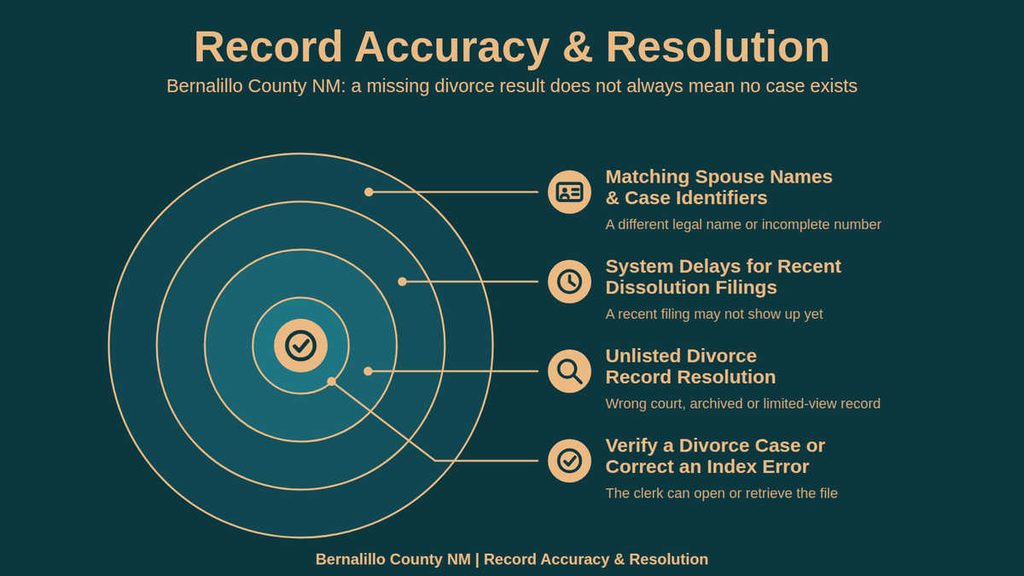
A missing or mismatched divorce search result does not always mean that no case exists. Individuals can also review marriage license official records alongside official county files for complete documentation. The problem may involve a recent filing, a different legal name, an incomplete case number, the wrong court, an archived record, or limited viewing of a document. A systematic check can narrow the cause before the clerk opens or retrieves a file.
Matching Spouse Names & Case Identifiers
The case number is the strongest identifier when it is available because the same names can appear in more than one case. A spouse name can differ from the search entry because of a middle name, suffix, hyphenation, prior legal name, or a clerical entry error. Match the names on the petition and decree rather than relying on a family-name search alone.
A filing date places the case at the start of the docket. A judgment date belongs to a later court event. Searching only the judgment date can miss a case entered under a different date range, so use both dates when checking a record with uncertain identifiers.
System Delays for Recent Dissolution Filings
Divorce records recently filed may not appear at once because the court still has to enter and index the case. The contact details do not publish a fixed system-update interval, so a short delay cannot be measured from the supplied court information. A recent filing date makes this a likely check before treating an empty result as proof that the case is missing.
A blank document list and a missing case row can reflect different stages of court processing. The clerk can confirm whether the case is pending entry, awaiting a filing, or available for viewing. Keep the filing receipt or petition copy, since it supports the request when the online index has not caught up.
Unlisted Divorce Record Resolution
A divorce record not found in one search does not prove that the record was never filed. The case may sit in another court, belong to an older archived collection, use a different legal name, or be unavailable for public viewing. Resolve these possibilities by checking the identifiers and the court named in the source document.
Historical divorce records and archived family-law files may not use the same online search path as current cases. The clerk can determine whether the paper file remains active, has been archived, or requires a retrieval request. Avoid relying on a private archive index unless the court confirms that source.
Verify a Divorce Case or Correct an Index Error
Divorce case verification can confirm that a case exists, identify its current status, and show which court holds the file. A wrong search entry may be a clerical index issue, while an error inside a signed decree involves a different correction process. The online listing should not be treated as the final word on either point. Keep the clerk’s response with the request receipt. It creates a clear paper trail if another agency later asks how the case number, spouse name, or document date was verified.
Contact Information
Use the following official New Mexico Courts contact to confirm the court search process, record availability, certified-copy fees, request methods, and current processing estimate. Have the case number and document title ready before calling.
Frequently Asked Questions
Finding divorce records helps you verify legal status, locate court orders, and obtain certified copies for personal or official use. The Bernalillo County District Court handles these files, and you can request them online, by mail, or in person. Knowing how to search saves time and avoids extra fees.
How can I search for divorce records in Bernalillo County?
Visit the New Mexico Courts website and select the divorce records search option. Enter the spouse name, case number, or filing date. The system returns matching case listings. From there, you can request the petition, decree, or certified copy. Expect a small processing fee and a few business days for delivery.
What steps are needed to request a certified divorce record copy?
First, locate the case using the online search. Then, fill out the record request form and include a valid ID. Pay the certified copy fee by credit card or check. Submit the form online or mail it to the Bernalillo County District Court. You will receive the certified document within 7‑10 days.
Can I find divorce case status by using the divorce case number?
Yes. Input the case number in the court’s case lookup tool. The result shows whether the case is filed, pending, or closed. It also lists the judgment date and any post‑judgment orders. This quick check helps you confirm the case outcome without contacting the clerk.
Where do I obtain divorce records by spouse name if the case is sealed?
Sealed records require a court order. File a motion with the family court explaining why you need the information. Attach supporting documents such as a legal need or custodial request. Once the judge signs, you can request the record the same way as an open file.
What fees apply when I request divorce records online?
The standard fee for a basic copy is $10. Certified copies cost $25. If you need expedited service, add $15. Payment is accepted via credit card, debit card, or money order. The court posts a fee schedule on its website, so you can verify current costs before submitting.